roundup
Best free PDF to JPG converter 2026 — no upload, browser-based
Converting PDF pages to JPG images is one of the most common file tasks — and most tools still ask you to upload your document. The best free PDF to JPG converter in 2026 runs entirely in your browser, renders each page with pdf.js, and downloads the images without your file ever leaving your device.
Quick answer
Optimal Convert is the best free PDF to JPG converter in 2026: it renders every page of your PDF to JPG (or PNG/WebP) in your browser using pdf.js, supports first-page or all-pages export, and never uploads your file. Free, unlimited, no account.
How we compared
We tested 8 PDF-to-JPG converters on four criteria: quality (does the output match the PDF?), privacy (uploaded or local?), speed (how long for a 20-page PDF?), and limits (daily caps, file-size caps?). Each converter was tested with the same 20-page PDF document.
The comparison
| Converter | Privacy | Speed (20 pages) | Limits | Offline? |
|---|---|---|---|---|
| Optimal Convert | No upload — runs in browser | ~3s | None | Yes |
| iLovePDF | Server-side upload | ~5s | 1hr cooldown | No |
| Smallpdf | Server-side upload | ~4s | 2 free/day | No |
| PDF2Go | Server-side upload | ~6s | 3 free tasks/day | No |
| Zamzar | Server-side upload | ~8s | 2 free files, 100MB limit | No |
Why browser-based wins
PDF to JPG conversion is straightforward to do in the browser: pdf.js renders each page to a canvas, and the canvas exports to JPG/PNG/WebP. There is no reason to upload your PDF to a server for this task — and every reason not to, especially for sensitive documents.
The only trade-off is that browser-based tools depend on pdf.js rendering quality, which is very good but may differ slightly from Adobe Acrobat for complex layouts. For the vast majority of PDFs — documents, receipts, presentations — the output is identical.
Try it now
The PDF to JPG converter on this page is the tool we recommend. Drop your PDF, choose first page or all pages, and download the images. Everything runs in your browser — no upload, no account, no limit.
Frequently asked questions
What is the best free PDF to JPG converter in 2026?
Optimal Convert — it renders PDF pages to JPG in your browser using pdf.js, never uploads your file, and has no limits. Free, unlimited, works offline.
Is it safe to convert PDF to JPG online?
Only if the converter runs locally in your browser. Server-based converters upload your PDF, even if they claim to delete it. For sensitive documents, use a browser-based tool like Optimal Convert.
Can I convert all pages of a PDF to JPG?
Yes — Optimal Convert lets you choose first page only or all pages. Each page becomes a separate JPG, named sequentially.
Will the JPG quality match the PDF?
Yes — pdf.js renders each page at its native resolution, and the JPG is encoded at 92% quality by default (visually lossless). You can adjust quality in the converter.
Convert it
Each conversion runs in your browser — free, unlimited, and nothing is uploaded.
Share this guide
Ready-made social images for this post — sized for Facebook/Open Graph, Instagram and Pinterest. They match the card link previews show, and the same art is rendered locally for every format below.

Facebook · Open Graph
og:image — also LinkedIn, X and Slack previews
Download PNG
Instagram feed
square post · 1080px is Instagram’s native size
Download PNG
Pinterest pin
2:3 ratio · Pinterest’s recommended pin size
Download PNGKeep reading
How to make a PDF from images
Turn JPG, PNG, WebP or HEIC photos into a single PDF in seconds, entirely in your browser. Step-by-step guide, no account, no upload.
Read the guide →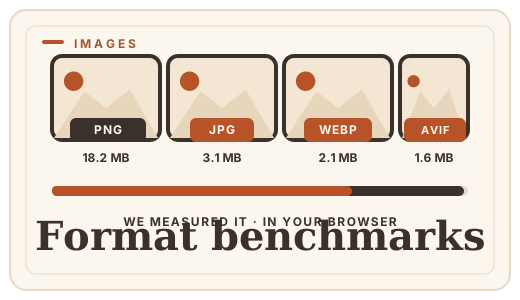
Image format benchmarks 2026
Real file-size numbers for WebP, JPG, PNG, and AVIF at equal visual quality, measured in-browser. No upload, no server — just data.
Read the guide →