audio formats
FLAC vs MP3: lossless vs lossy, without the jargon
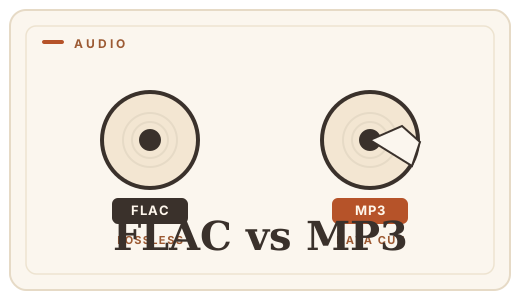
FLAC and MP3 both compress audio; the difference is what they allow to survive. FLAC is lossless — it compresses the waveform into a smaller file and reconstructs it exactly, like a zip file for sound. MP3 is lossy — it permanently discards the detail it thinks you cannot hear. That makes FLAC the right choice for archiving and serious listening, and MP3 the right choice for anything that moves across the internet. When they meet, the direction is almost always the same: FLAC to MP3.
Why "lossless" is the word that matters
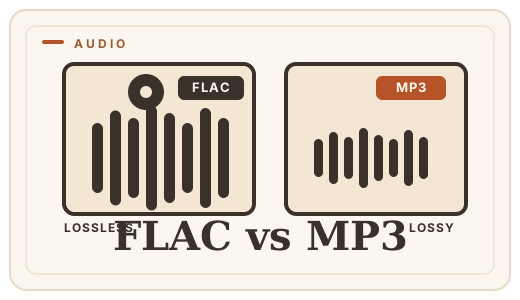
Think of lossless compression as a perfect zip: the audio comes out bit-for-bit identical to what went in. You can transcode a FLAC a hundred times, run effects, bounce, and never accumulate damage. That is why mastering engineers and collectors keep lossless masters — it is the only format that never makes your future options smaller.
MP3 works differently. It is a perceptual model of hearing: frequencies masked by louder sounds, quiet transients, the tail of a reverb — all of it is measured against thresholds and then discarded. The model is good, but it is a model. Detail it throws away is gone permanently; no future conversion can recover it.
The practical difference
| FLAC | MP3 | |
|---|---|---|
| File size | ~250–300 MB | ~40–60 MB (at 192 kbps) |
| Exact reconstruction | Yes | No |
| Tag/artwork support | Yes | Yes |
| Playable everywhere | Almost | Everywhere |
| Use for | Archive, editing, hi-fi | Streaming, sharing, portables |
When you actually need MP3
FLAC plays natively in most modern phones, players and operating systems, so the old "must convert to listen" rule has mostly faded. You reach for MP3 when a destination insists on it: a car stereo from a few years ago, a chat app with an upload limit, a podcast platform, an email attachment. In those cases, encode from the FLAC master at 192–320 kbps and keep the FLAC untouched.
The reverse direction is the trap. Converting an MP3 to FLAC makes a perfect, lossless copy — of a file that already lost its detail. If your library is all MP3, converting it to FLAC buys storage costs, not quality. Convert FLAC to MP3 here when a destination needs it; the encoding runs on your device with LAME.
Frequently asked questions
Can people hear the difference between FLAC and MP3?
In controlled tests, most listeners cannot reliably tell a 320 kbps MP3 from lossless on typical gear. The difference shows in fast, complex music on good headphones — and it accumulates if you edit or transcode. If you are archiving or producing, lossless. If you are sharing, MP3.
Does converting FLAC to MP3 lose quality?
Yes — MP3 is lossy, so the conversion discards inaudible detail by design. That is why you keep the FLAC master and convert only a copy for the destination that needs MP3.
Can I convert MP3 to FLAC?
Technically yes, but it does not add quality — a lossless file of a lossy file is still lossy. Only convert the other direction, FLAC to MP3, for delivery.
Is FLAC supported everywhere?
Mostly. iOS, Android, Windows and macOS all decode FLAC natively now, and most players do. The holdouts are older car systems and some web audio players — which is exactly when you convert a copy to MP3.
Convert it
Each conversion runs in your browser — free, unlimited, and nothing is uploaded.
Share this guide
Ready-made social images for this post — sized for Facebook/Open Graph, Instagram and Pinterest. They match the card link previews show, and the same art is rendered locally for every format below.
Facebook · Open Graph
og:image — also LinkedIn, X and Slack previews
Download PNG
Instagram feed
square post · 1080px is Instagram’s native size
Download PNG
Pinterest pin
2:3 ratio · Pinterest’s recommended pin size
Download PNG